
Traincel Logo
Excel Masterclass: Managing... Banner

Excel Masterclass: Managing Large Workbooks

90 Minutes

August 13, 2026

01:00 PM EST

Live Webinar

Overview

Large spreadsheets can quickly become difficult to navigate, slow to calculate, and challenging to manage—especially in environments where workbooks often span multiple sheets and thousands of rows. This session focuses on tools and techniques that make large files easier to control, review, and maintain without sacrificing accuracy.

You’ll explore efficient navigation shortcuts, pane management tools, worksheet grouping, Custom Views, and strategies for managing multiple sheets at once. We’ll also cover file size reduction, calculation performance considerations, and functions like INDIRECT that connect data across worksheets—so you can confidently manage even the most demanding Excel workbooks.

Areas Covered

·      Navigate large workbooks using keyboard shortcuts, advanced search tools, and productivity features.

·      Freeze panes, split worksheets, and maximize screen space for easier data review.

·      Manage multiple worksheets with Custom Views, sheet grouping, and bulk hide/unhide techniques.

·      View and compare multiple worksheets simultaneously using New Window and Arrange Windows.

·      Group rows, columns, and worksheets to simplify navigation and improve organization.

·      Improve workbook performance by reducing file size and understanding the impact of volatile functions.

·      Link and manage data across worksheets using functions such as INDIRECT and other cross-sheet referencing techniques.

·      Apply best practices to keep large workbooks organized, accurate, and easy to maintain.

All Access Pass Banner

All Access Pass Benefits

$999 per year

  • Access to 12 Live or On-Demand Webinars per year
  • All Live and On-Demand webinars include certificates, printable presentation material and handouts
Learn More

Speaker

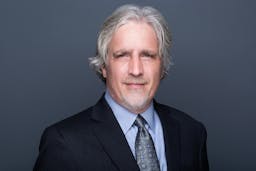
David H. Ringstrom's Avatar

David H. Ringstrom

Microsoft Excel Expert

Acclaimed Microsoft Excel expert David H. Ringstrom, CPA, is the president and owner of Accounting Advisors, Inc. based in Atlanta, Georgia. David founded Accounting Advisors in 1991 as a consulting-services business, but in 2009, he began teaching for continuing education providers as well. His mission since then has been to offer quality training on Excel and additional accounting software via live webcasts, on-demand self-study webcasts, and in-house engagements. More than 24 providers, located throughout the country as well as overseas, now look to David for their Excel and accounting software training needs. David’s Excel courses cover the gamut of the software’s features and functions to provide CPAs as well as accounting and financial professionals the knowledge they need to work more efficiently and effectively in Excel. David is known for saying, “Either you work Excel, or it works you.” Based on this belief, he focuses on teaching users what they don’t know but should know about Excel. His comprehensive yet easy to understand presentations cover Excel 2016, 2013, 2010, and 2007. David’s webcasts are fast paced, and he welcomes attendees’ questions. In addition, his detailed handouts and slides serve as handy reference tools students can fall back on after participating in his webcasts or taking his self-study courses.